

ClickFlow is an AI SEO tool that helps users automatically draft SEO content for their websites. As you can see from the above image, they boast an impressive client base including tech giants like Uber, Salesforce, Airbnb, and Amazon.
I’ve been spending time trying out tools in the market, so I figured why not give ClickFlow a shot?
And yes I did have to put in my credit card information to get through their onboarding and access the free trial, so you’re welcome :)
First impressions
Right off the bat the UI looks good! The colors are cohesive and the interface is simple and easy to navigate. Their app is separated into three main sections: analytics, content, and configuration:
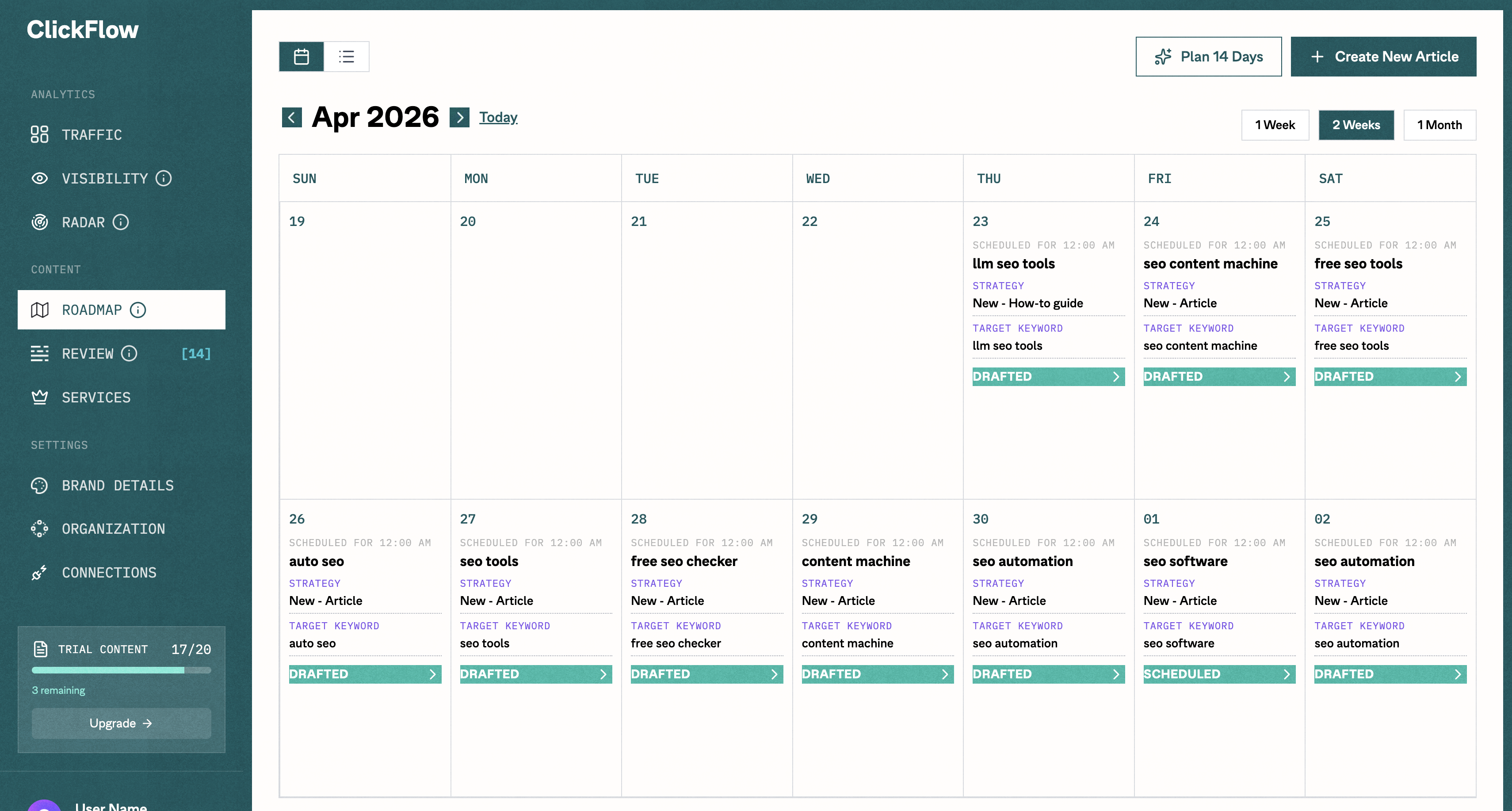
What you’re looking at here specifically is their content calendar feature. It’s basically how you manage all of your content. How this works is:
- An AI generates a keyword for you for each day
- A post is scheduled to be drafted each day based on the selected keyword
- Once it’s drafted you go in and make changes as needed to the post
Configuring the tool
I tried having it create content with minimal configuring to see how well it could do right out of the box. All it had to work with was my website and the keyword ‘seo automation’. I wasn’t too impressed, so I moved onto full configuration to see if that would lift the output quality (scroll down if you want to skip to the results):
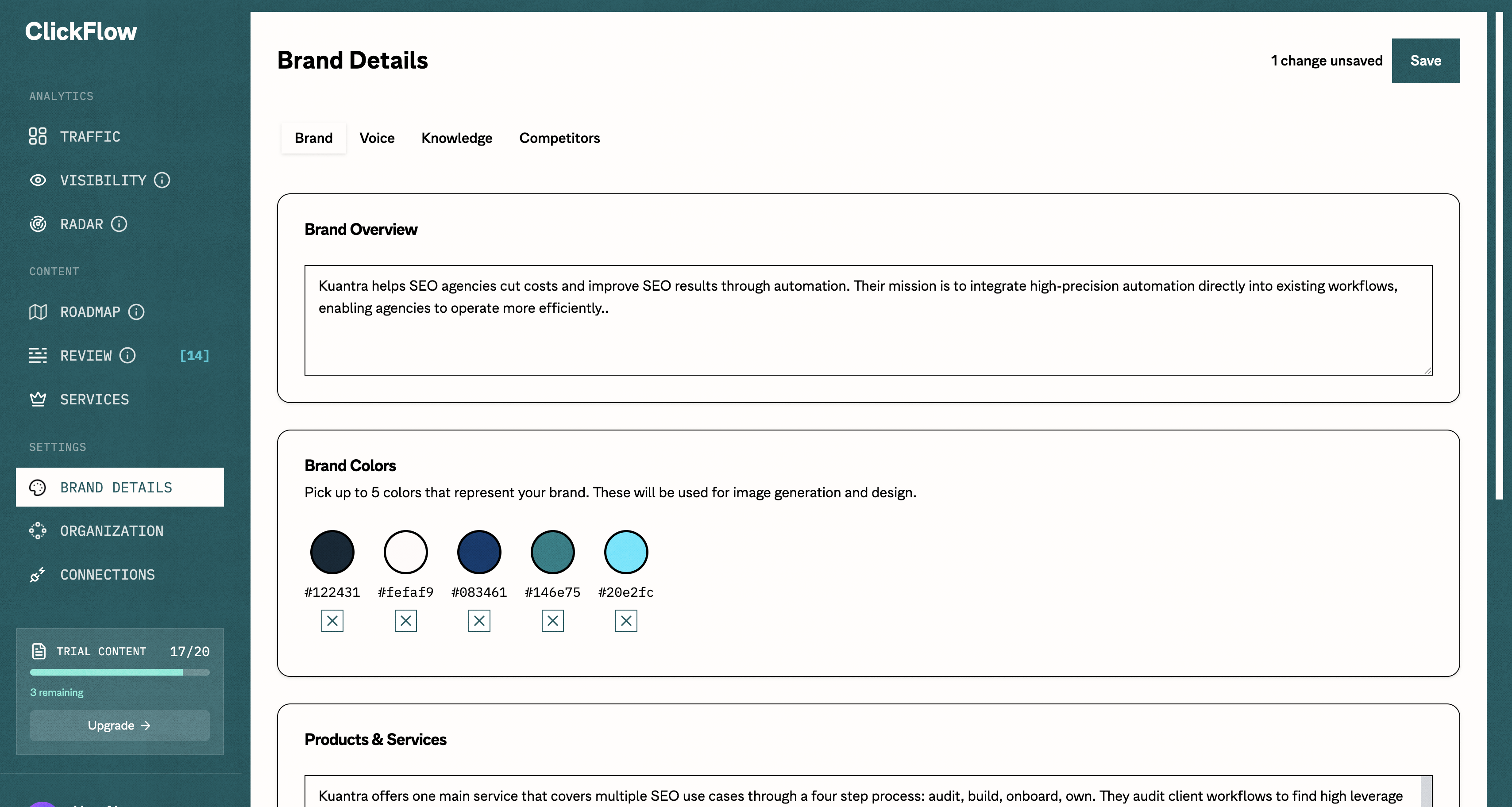
This part of their app almost made me rage quit. It failed me both in a ui/ux way and in a technical way.
The first time I filled it out (all 4 sections by the way!), I didn’t see the ‘save’ button because it’s HIDDEN when you scroll down. Notice how it’s in the top right. Come on guys. The second time I filled it out it threw and error and I lost all of my progress again.
I didn’t let this stop me though. Third time’s the charm right?
What I added to the config
It was painful but I FINALLY saved my new config. The most significant additions were:
1. A more accurate products and services section:
Kuantra offers one main service that covers multiple SEO use cases through a four step process: audit, build, onboard, own. They audit client workflows to find high leverage points for automation, they build and onboard the client onto the automation, and deploy it to client owned infrastructure. Their products are designed to eliminate recurring costs with a one-time payment model. Common use cases Kuantra builds automations for include:
- Blog Content Creation / Refresh
- Internal Linking
- Backlinks Research
- Keyword Research
- Technical Audit
- Visibility Monitoring
2. An anti-ai styling guide:
Strip out every tell of AI-generated writing. That means:
- No em dashes. Use commas, periods, parentheses, or just rewrite the sentence.
- No “it’s not just X, it’s Y” constructions. No “isn’t merely… but rather.” No false-dichotomy pivots of any kind.
- No tricolon abuse (“clear, concise, and compelling”). Vary your rhythm. Sometimes one adjective is enough. Sometimes none.
- Cut hedge words: “delve,” “navigate,” “leverage,” “robust,” “seamless,” “tapestry,” “landscape,” “realm,” “journey,” “underscore,” “crucial,” “vital,” “essential,” “meticulous,” “nuanced,” “multifaceted.”
- No throat-clearing openers. Don’t start with “Certainly!” or “Great question!” or “In today’s fast-paced world.” Just start.
- No closing summaries that restate what you just said. End when the thought ends.
- No bullet lists when prose works. No headers on short pieces. No bold every third sentence.
- Write uneven sentences. Short ones. Then longer ones that wander a little before landing. Mix it up.
- Be willing to be plain. Be willing to be specific. “The dog barked at 6am” beats “The canine vocalized at the early dawn hour.”
- Have a point of view. Don’t both-sides everything. Don’t end paragraphs with “ultimately, it depends.”
- Contractions are fine. Fragments are fine. Starting with “And” or “But” is fine.
3. Examples of my own writing (from LinkedIn):
Except I couldn’t actually see how these workflows were built internally. That was reserved for enterprise customers only. Unfortunately for them, I’m not one to give up so easily. I sifted through the network requests while running one of these pre-built workflows. And voilà. Their server sends a whole lot more information than it needs to.
The results
So are you ready for the final results? Here they are!
My take
Honestly, I see the difference but it doesn’t scream “better” to me. Both seem like your typical generic blog post about SEO automation. It’s like a dish that looks different but ultimately tastes the same and has the same number of calories.
It does still read “AI-like” to me as well. For example, these sentences at the start of the piece:
No theory-heavy fluff. Just the practical stuff.
This is really really AI.
The content organization across both pieces is a bit all over the place too. For example, in the styled version the ‘How SEO Workflow Automation Works Across the Full Process’ is basically the ‘5 SEO Automation Workflows You Can Build This Week’ section but rewritten to be more general. The sections don’t really flow into each other well. It doesn’t read like on cohesive piece.
What I think this tool needs is better data. Right now what it’s doing is basically just taking what’s already ranking for the keyword and reorganizing it into a slightly different shape. Ultimately it’s the still the same information. Now if this tool was able to do proper research, scrape data sources outside of the top 10 SERP results, create interesting hypothesis and opinions, while including context from my own work and clients… now that would be the ultimate boost in content quality.
But what do you think? Was one article better than the other? And is this tool worth the $150+/month price tag? Send me a DM on LinkedIn with your thoughts and let me know which tool I should review next!